Working from home has become the norm for many people, making the home office an essential part of our daily lives. Creating a productive home office environment is key to maintaining focus, efficiency, and a healthy work-life balance. This guide offers useful tips to help you design a workspace that supports your productivity and well-being.
1. Choose the Right Location
Selecting the right spot for your home office is the first step. Ideally, pick a quiet area with minimal distractions, away from high-traffic zones and household noise.
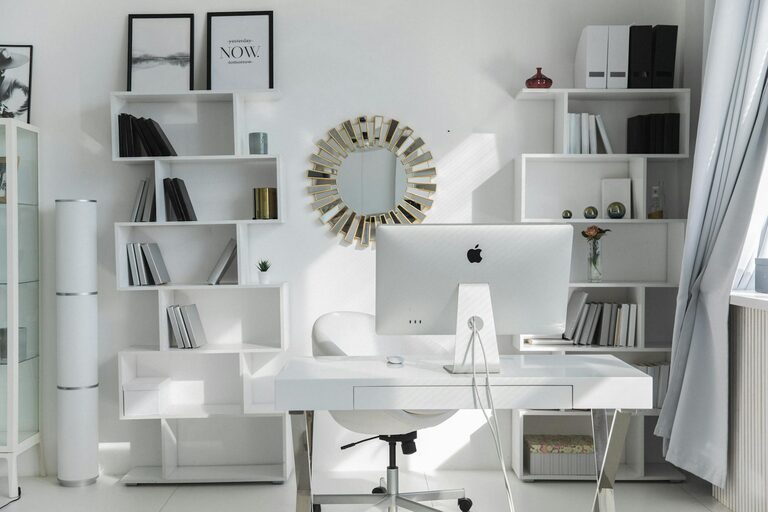
– Natural light: A workspace near a window is beneficial. Natural light improves mood and focus.
– Space: Ensure the area is large enough for your desk, chair, and any equipment you need.
– Privacy: Consider a room with a door you can close, or use screens to create a defined workspace.
2. Invest in Ergonomic Furniture
Comfort matters when you spend hours working at your desk. Ergonomic furniture can help prevent strain and fatigue.
– Chair: Choose an adjustable chair with good lumbar support.
– Desk: Pick a desk at the right height to maintain good posture.
– Accessories: Use a footrest, keyboard tray, or monitor stand if needed to optimize comfort.
3. Organize Your Workspace Efficiently
A tidy, organized workspace helps reduce stress and distractions.
– Declutter regularly: Remove unnecessary items from your desk.
– Storage solutions: Use shelves, drawers, and containers to keep supplies organized.
– Cable management: Use clips and sleeves to keep cords neat and out of the way.
4. Optimize Lighting
Proper lighting reduces eye strain and creates an inviting atmosphere.
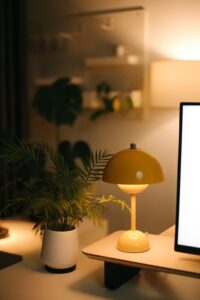
– Layer lighting: Combine ambient lighting with task lighting, such as a desk lamp.
– Adjust brightness: Use adjustable lamps or blinds to control light intensity.
– Avoid glare: Position screens perpendicular to windows or light sources to avoid reflections.
5. Personalize Your Workspace
Adding personal touches can make your home office a more enjoyable place to work.
– Decor: Use plants, artwork, or photographs to brighten the area.
– Colors: Choose calming or motivating colors, like blues or greens, for walls or accessories.
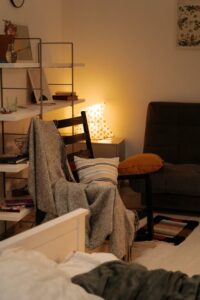
– Comfort items: Keep a cozy blanket, cushion, or a favorite mug nearby.
6. Minimize Distractions
Staying focused at home can be challenging. Take steps to reduce interruptions.
– Set boundaries: Communicate your work schedule to family or roommates.
– Noise control: Use noise-cancelling headphones or white noise machines.
– Digital focus: Use apps to block distracting websites during work hours.
7. Incorporate Technology Wisely
Make sure your tech setup supports your work without causing frustration.
– Reliable internet: Invest in a strong Wi-Fi connection.
– Equipment: Use quality monitors, keyboards, and mice.
– Backup: Set up regular data backup and power surge protection.
8. Maintain Work-Life Balance
Creating a dedicated workspace can help you separate work from personal life.
– Defined schedule: Set specific work hours and stick to them.
– Breaks: Take regular short breaks to rest and recharge.
– End of day routine: Close your workspace or turn off work devices to signal the end of your workday.
Conclusion
Designing a productive home office environment is about more than just a desk and a chair. By carefully choosing your location, investing in ergonomic furniture, organizing your space, and minimizing distractions, you can create a comfortable and efficient workspace that supports your best work. Remember to personalize your space and maintain healthy routines to keep productivity and well-being in balance. With these tips, your home office can become a place where you enjoy working and achieve your goals.